The fastest path from no analytics to real usage data.
Tally does the analytics setup for you. Connect Claude Code, Codex, Cursor, or your AI coding agent of choice, then ask it to add analytics.
We will never use your data to train AI models. Not by default. Not with an opt-out. Never.
No SDK wiring
Your agent applies the patch.
You stay in control
Approve every local code change.
Verify in Tally
Deploy and watch for the first event.
Add Tally as a remote HTTP MCP server in Claude Code.
claude mcp add --transport http tally https://usetally.xyz/api/mcpThen ask Claude Code to add Tally Analytics to your app.
What happens next
Authenticate with Tally through MCP OAuth.
Your agent installs the Tally SDK in your app.
Deploy, visit one or two pages, and confirm events in the dashboard.
Analytics without the headache
Most analytics tools are overkill. Tally is designed to be invisible until you need it.
Zero Configuration
No script tags to copy-paste. No API keys to manage. Your AI coding agent applies the Tally SDK patch locally.
GDPR Compliant
No third-party cookies or personal data. First-party session tracking that's fully anonymous and compliant by default.
Ultra Lightweight
The tracking script is less than 1kb. It won't impact your Core Web Vitals or lighthouse score.
Your analytics data is not AI training data.
Tally helps your coding agent install analytics, query usage, and decide what to track next. Your event data, customer data, session data, source context, prompts, and outputs are never used to train AI models.
Never for model training
We do not train Tally models or third-party models on customer analytics data.
No opt-out games
The default is not enabled until you find a setting. The answer is no.
Still agent-native
Your coding agent can use Tally through MCP without turning analytics into training material.
Everything you need, nothing you don't
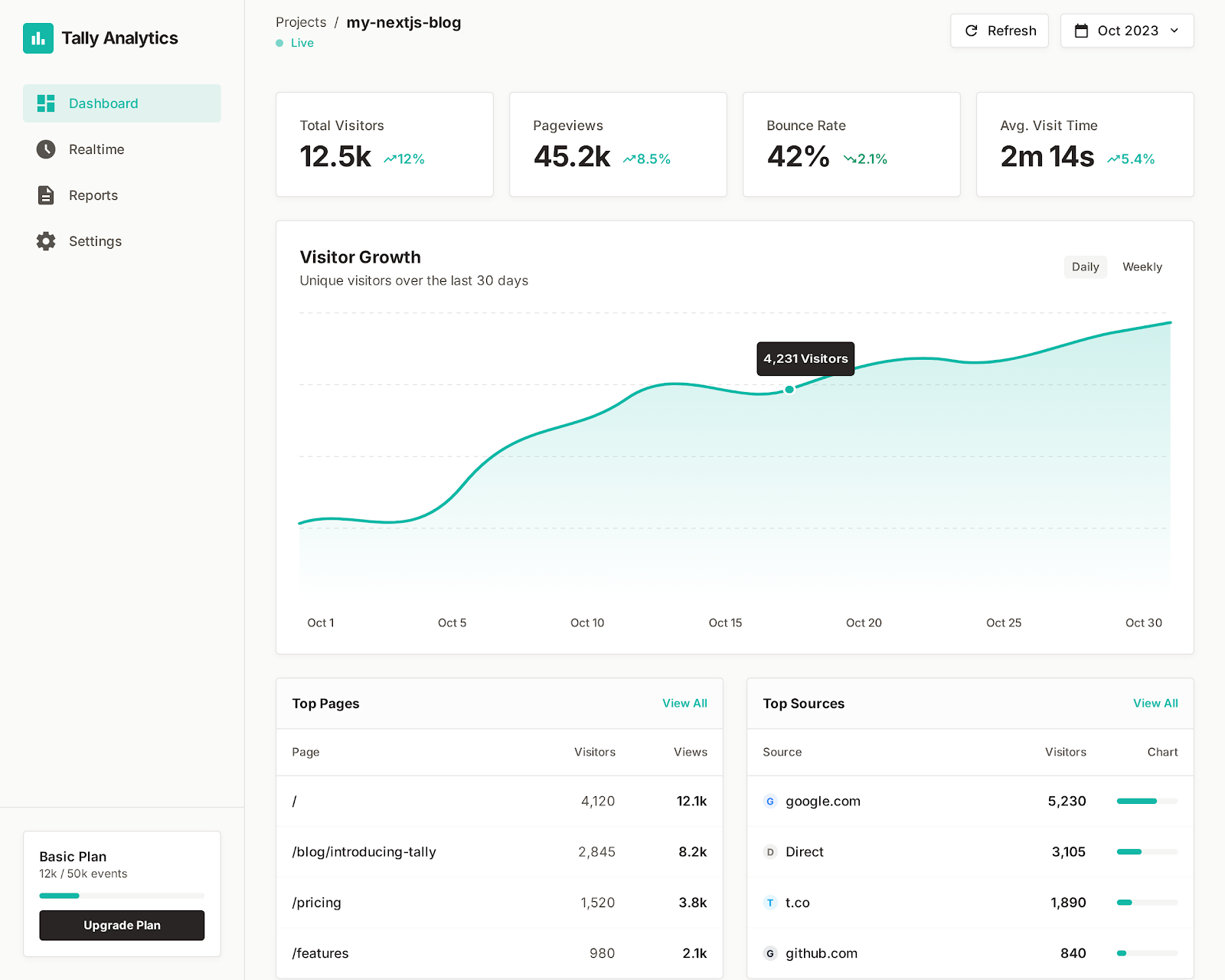
A clean dashboard with the metrics that actually matter for early-stage apps.
Real-time Feed
Watch visitors navigate your site as it happens. See every page view the moment it occurs.
Traffic Over Time
Track page views and sessions hourly, daily, or monthly. Spot trends instantly.
Top Pages
Know which pages get the most attention. See what content resonates.
Top Referrers
Understand where your traffic comes from — Google, Twitter, direct, or that blog post that mentioned you.
Session Analytics
See new vs. returning visitors. Understand how often people come back.
Device & Browser
Know what your visitors use — mobile vs. desktop, Chrome vs. Safari.
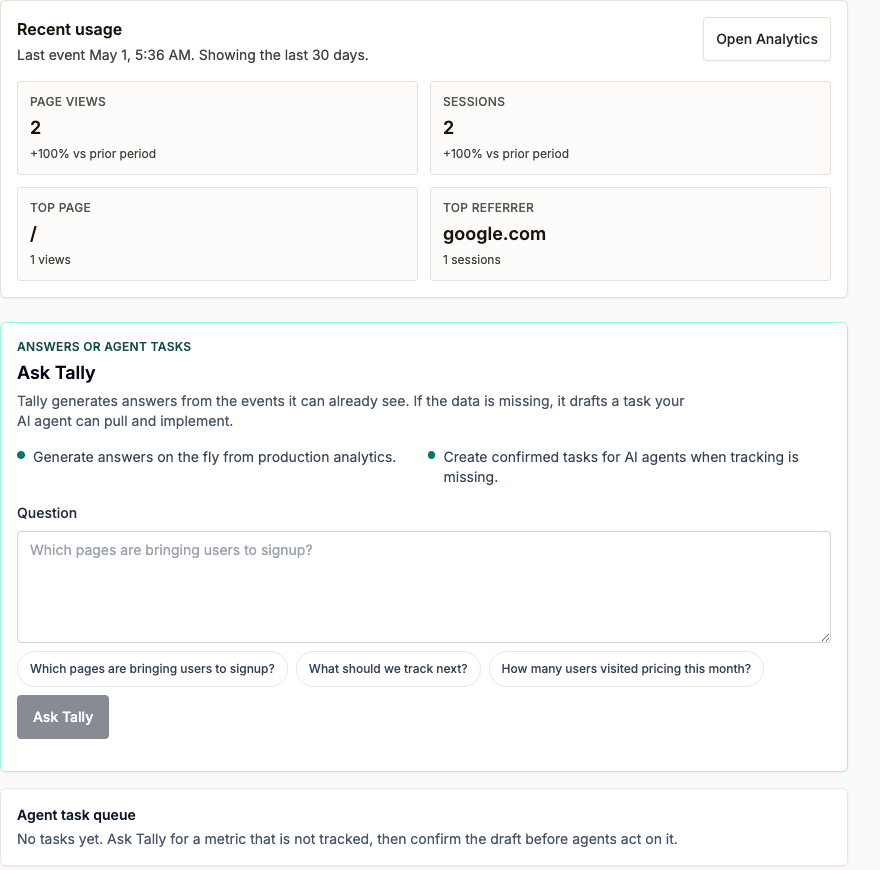
Ask a question. If Tally can't answer it, your agent gets the task.
Tally starts with the events you already have, then turns analytics gaps into confirmed work your AI coding agent can pull and implement.
How it works
From no analytics to real usage data without wiring the SDK by hand.
Choose your agent
Connect Tally to Claude Code, Codex, Cursor, or another MCP-capable coding agent.
Ask for analytics
Your agent calls Tally, gets a safe SDK patch, and applies it locally.
Review and deploy
You approve the local change, run verification, and deploy normally.
Confirm events
Tally shows a waiting state until production events arrive, then turns into your usage dashboard.
Real-time dashboard view
Your analytics evolve with your app
Most analytics tools break when you ship changes. Tally doesn't.
Add a new page? We detect it automatically.
Refactor your routes? Your tracking adapts.
No forgotten script tags. No broken dashboards. No weekend debugging sessions.
You focus on building. We'll keep the data flowing.
All the analytics, no hassle.
Start from Claude Code, Codex, Cursor, or your AI coding agent of choice. Tally handles the setup and gives you the dashboard.